
The App Store Connect client underneath: metadata editing, TestFlight, analytics, reviews and screenshots. Bascaso is a fork of it.
App Store Connect,
with ASO built in.
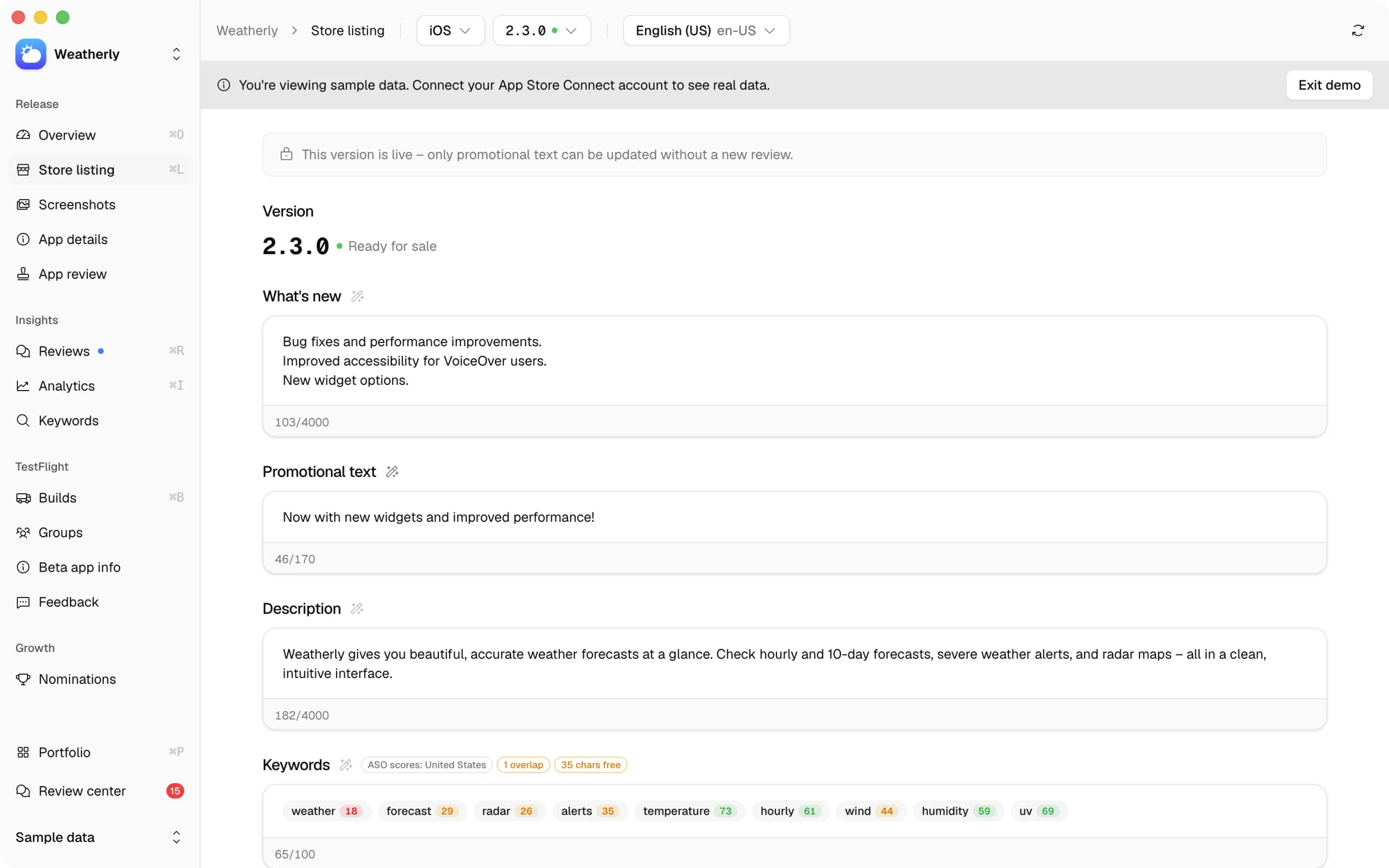
Edit your store listing across every locale from one Mac window. Keyword popularity, difficulty and opportunity are scored in the field you are typing in, not in another tab.
Free to download, free to use, free to run. No subscription, no trial.
macOS 11 or later, Apple Silicon. See all releases
Keywords
ASO scores: United States
38 chars free
aso 71
keywords 66
metadata 55
screenshots 47
app store connect 34
testflight 28
62/100
Where it comes from
Three projects, one app.
Bascaso is a fork. Two other projects live inside it, one for the scoring, one for the screenshot editor. All three are credited here because their licences require it, and because it is the honest account of what you are downloading.

The scoring methodology. Its Python was ported to TypeScript, and a parity suite replays vectors from the original so both produce the same numbers.

The screenshot editor. Its renderer was ported to TypeScript, the interface rebuilt on this app's own parts, and the export wired to App Store Connect instead of a download folder.
RespectASO is AGPL-3.0. That is what makes Bascaso AGPL-3.0 as well. itsyconnect-macos and appscreen are MIT, and the 3D device model in the editor is iPhone 15 Pro Max by MajdyModels, via Sketchfab, under CC BY 4.0. Methodology and its limits are written out in docs/ASO.md.
What it does
Scores where you type. Not in another tab.
The listing, and its numbers, in one place
Every locale is editable in the same window: name, subtitle, keywords, description, what's new, promotional text. Each field carries its character budget. The keyword field carries popularity, difficulty and opportunity per storefront, and flags duplicates between name, subtitle and keywords, inside a locale and across locales.
An opt-in diff mode accumulates your changes locally and pushes them to App Store Connect in one go.
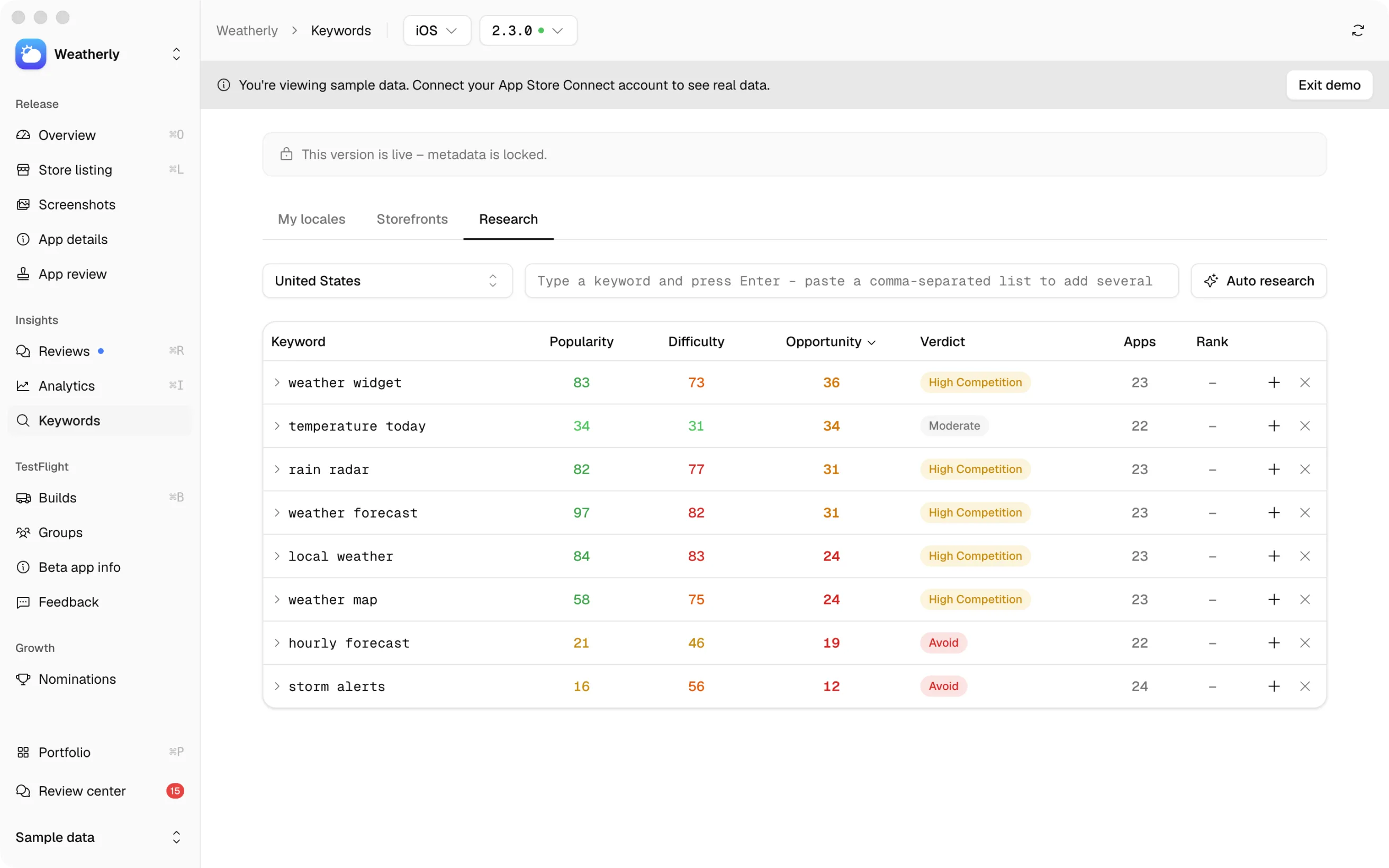
An eight-step keyword run
One run searches the App Store for competitors, generates seed keywords, harvests candidates from competitor titles, filters them for relevance, scores each survivor against live iTunes data, ranks them, and composes a name, subtitle and keyword field that respect Apple's limits. Progress is reported live, step by step.
It runs on the model you chose, whether that is the on-device one or your own key.
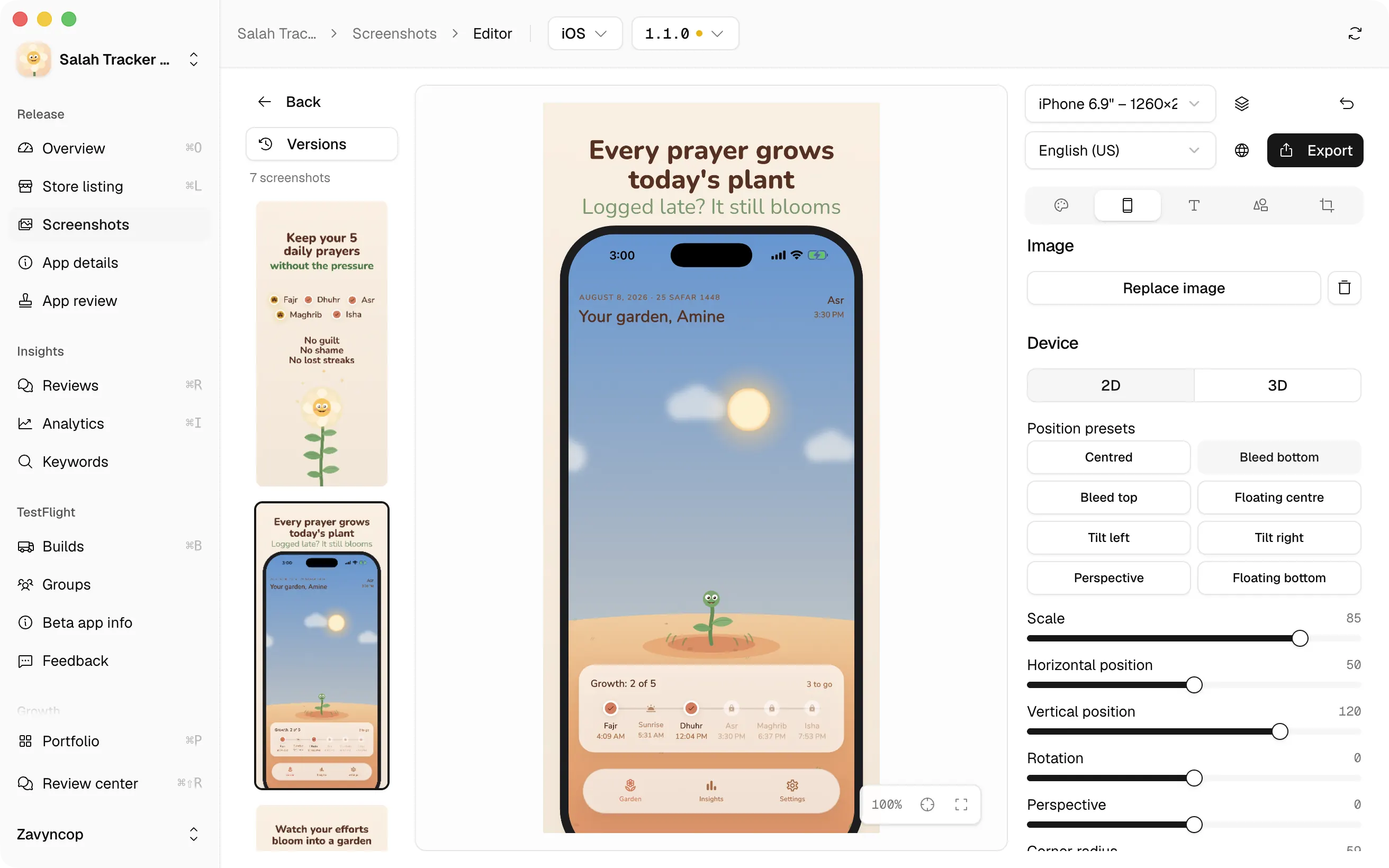
App Store screenshots, in the same window
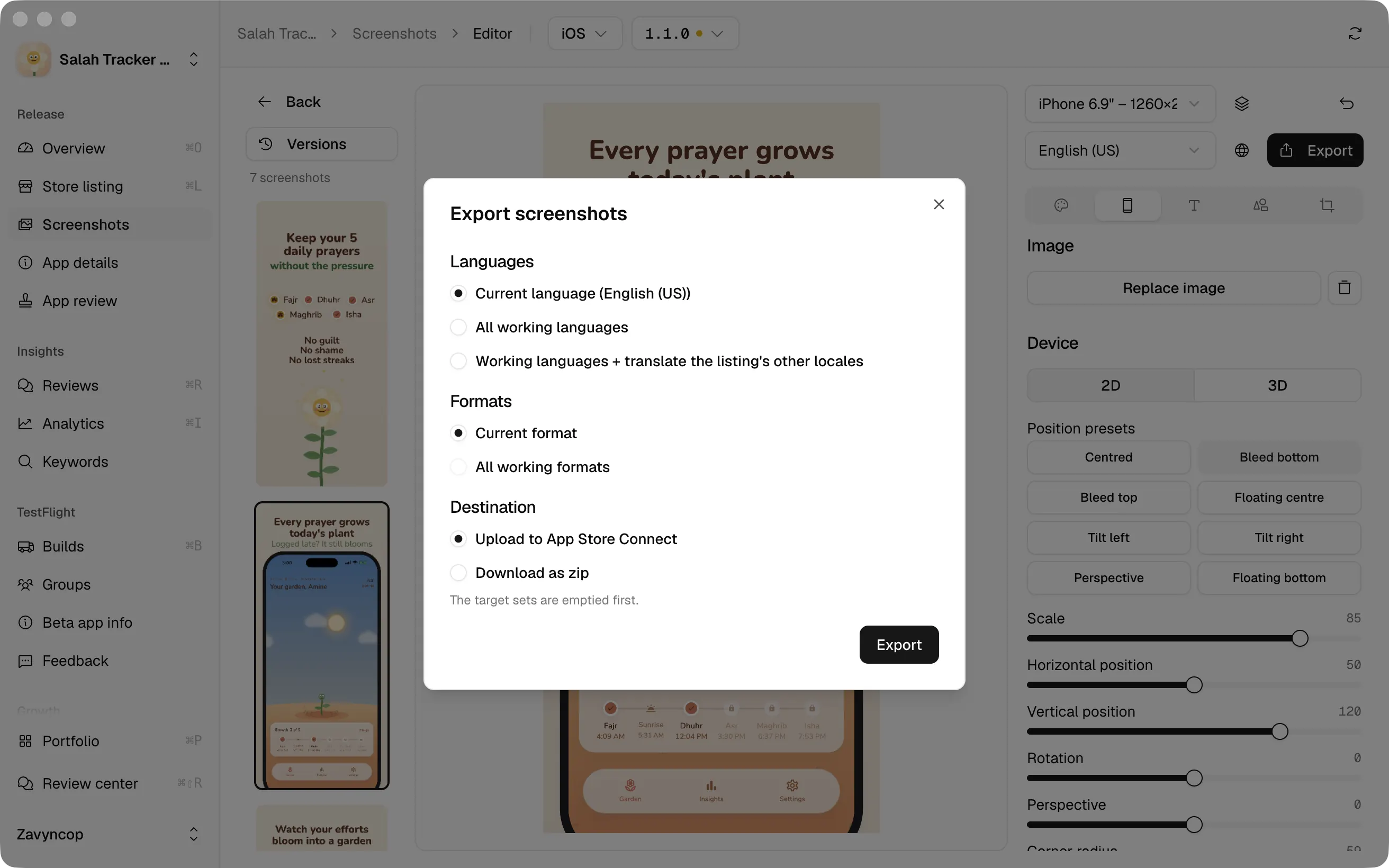
Your raw captures go in. The editor puts each one on a device, either a flat frame or a 3D model you turn by dragging it, over a gradient, a plain colour or an image of your own. Headline and subheadline sit above or below the phone, in a font you pick, written once per language.
Icons, emoji and badges drop anywhere on the canvas. Crop a region of a capture and it floats over the frame as a popout. Rendering runs on your Mac, and the font list is whatever macOS already has, unless you switch the Google tab on yourself.
Straight into the App Store Connect listing
One export handles the set: every screenshot, at each device size you are working in, in each language you added, uploaded into the listing. No zip, and no forgetting the iPad sizes at midnight.
Locales you never added to the editor get translated on the way out. A zip is there if you would rather hold the files. And every export saves a named version of the document, so the artwork a release shipped with stays one click away.
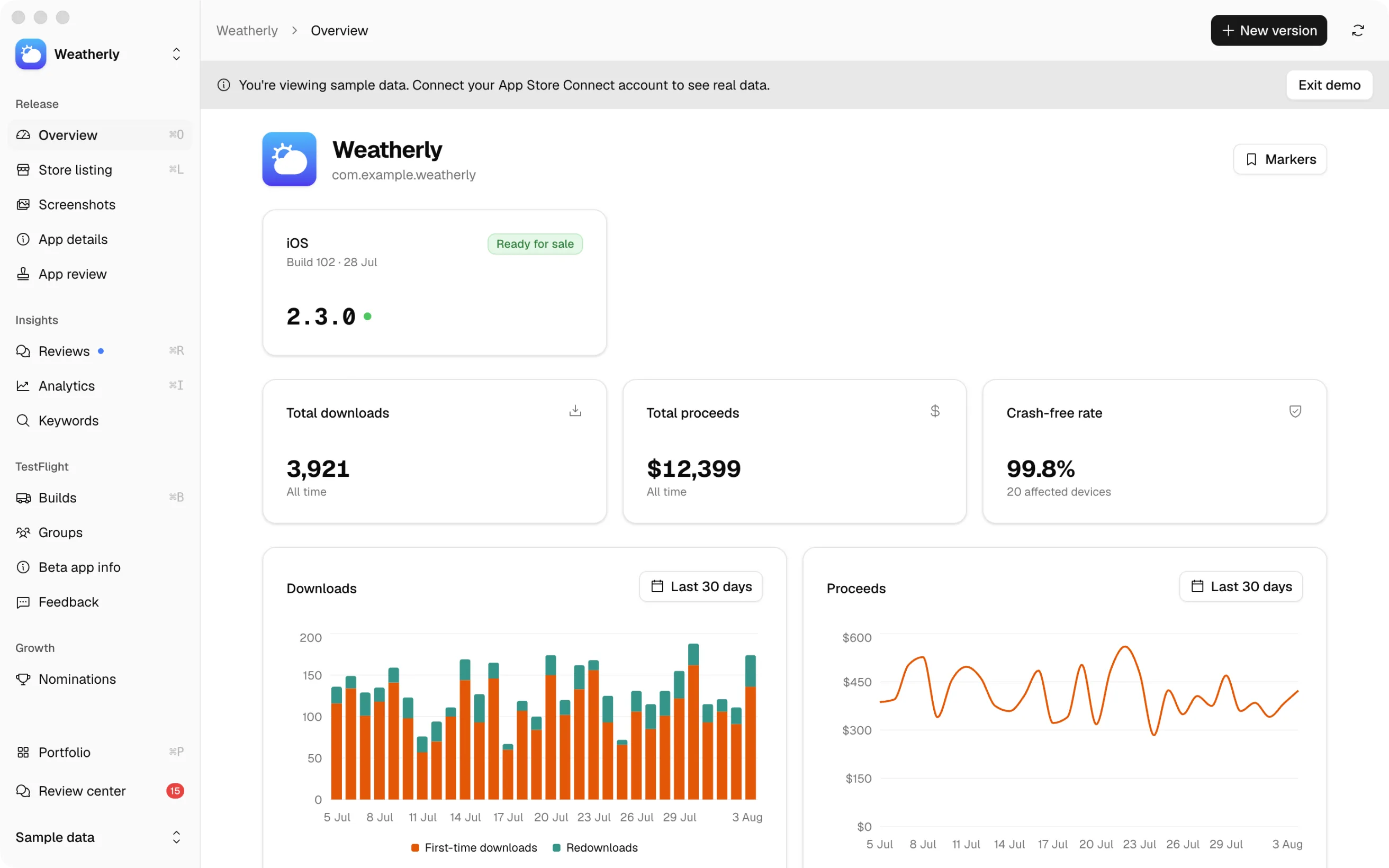
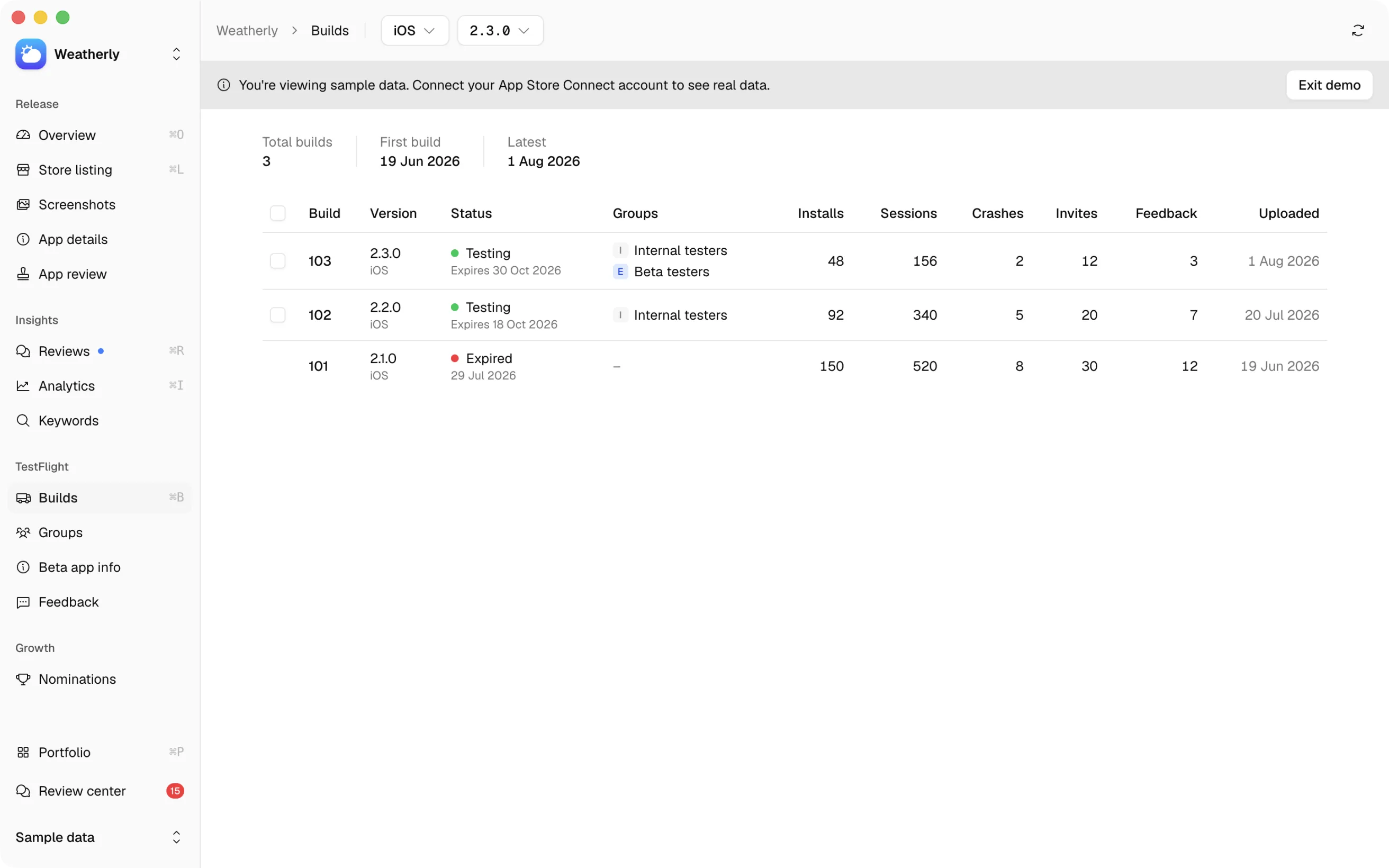
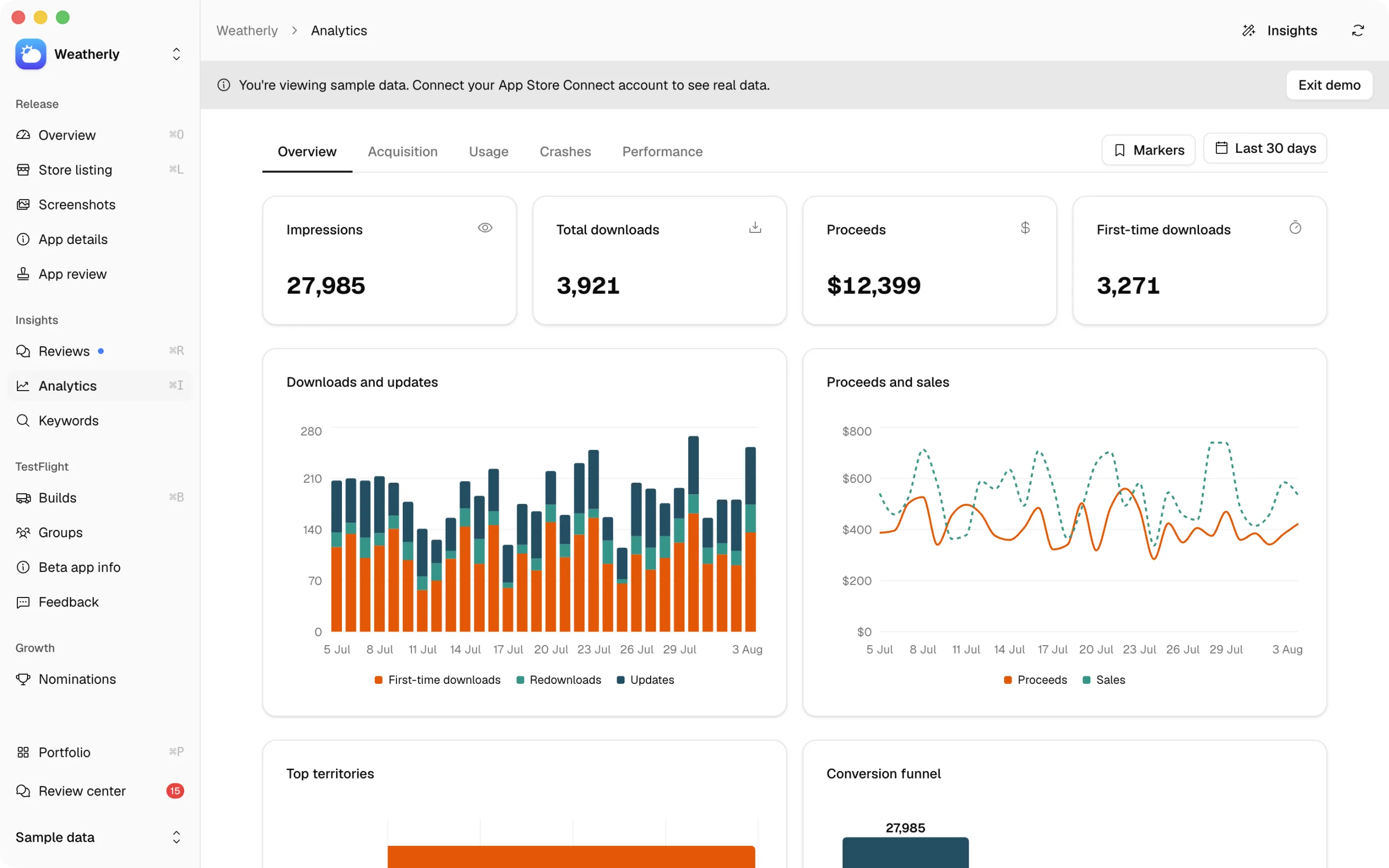
And the rest of App Store Connect
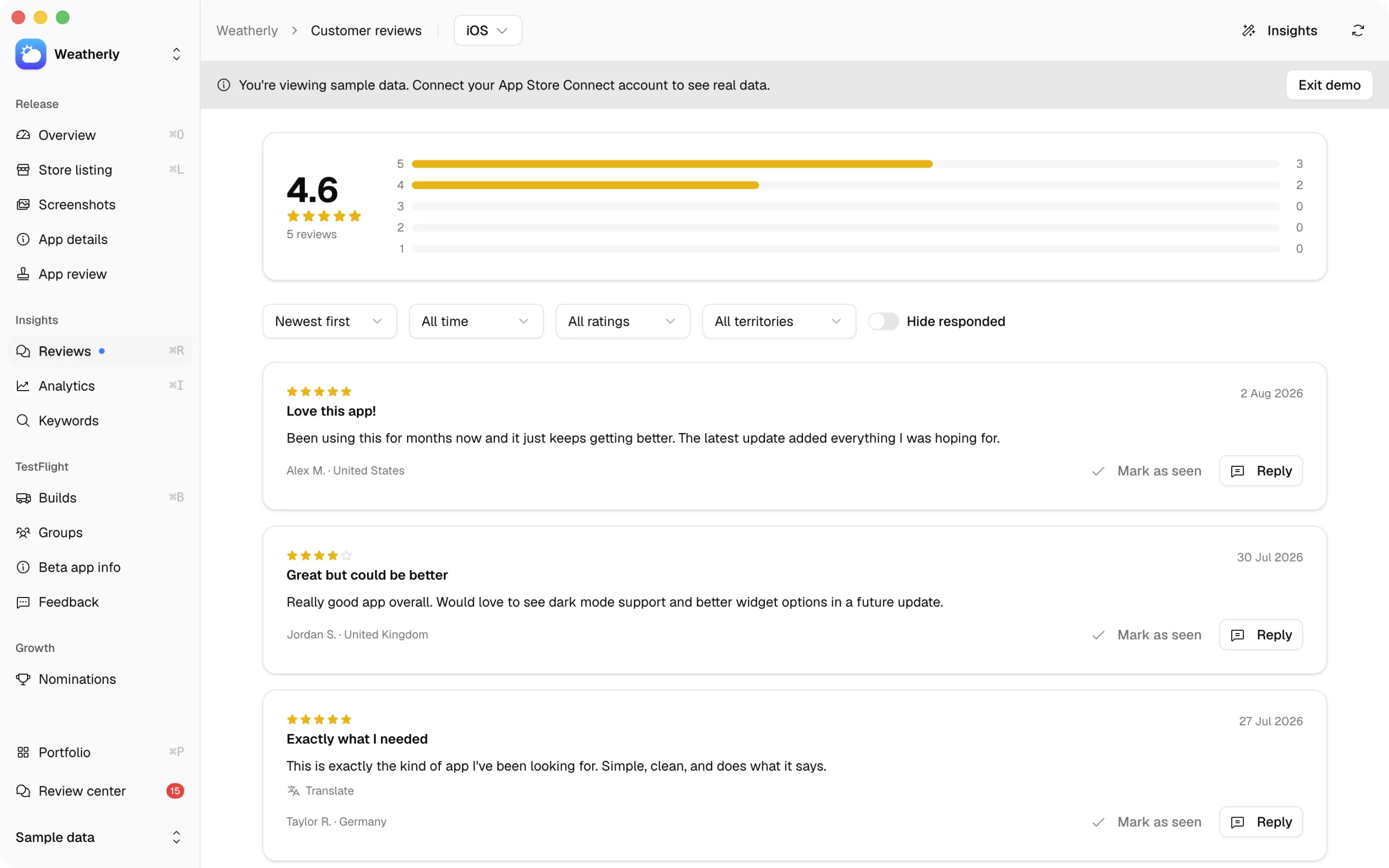
In the box
-
Screenshot translation
Artwork you made elsewhere still uploads, reorders and previews across every device class. Translating one into another locale keeps its fonts and its layout. Ten locales of artwork is the part of a launch people postpone for months.
-
Diff mode
Changes accumulate locally instead of hitting App Store Connect one field at a time. You read a full before and after across sections and locales, drop what you do not want, then push once. No half-saved listing.
-
Release control
Pick the build, set the release method to manual, automatic or scheduled, and toggle phased rollout. The things you actually change on submission day, without hunting for them.
-
MCP server
An optional Model Context Protocol server lets Claude Code, Codex, Cursor or OpenCode edit listings from your terminal. It respects diff mode, so an agent cannot push to Apple behind your back.
-
Self-hosted Docker
One command runs the same app as a web dashboard on your own machine or network, with a persistent SQLite volume. Useful when the Mac is not where the work happens.
-
Several developer accounts
Switch between teams inside the app. Contractors and anyone shipping for more than one client stop signing in and out all day.
-
Nominations
Browse, edit and submit App Store nominations, with answers drafted from your own metadata. Editorial features are free distribution that most teams never ask for.
-
Light and dark
Both themes are complete, and the app follows the system appearance unless you pin it. It is a Mac app, so it behaves like one.
AI, on your terms
Three ways to run it. Two never touch our servers.
On your Mac
macOS 26 ships a Foundation Model that runs on the machine, and Bascaso talks to it through a small Swift sidecar. It needs no API key and makes no network call. Its context window is about 4k tokens, so long inputs are refused rather than quietly truncated.
Your own key
Anthropic, OpenAI, Google, xAI, Mistral and DeepSeek. You pay your provider whatever they charge and Bascaso takes no cut. Nothing in the app is held back for a paid tier.
A hosted account
Optional and billed per action, for people who have no key of their own. It is the only path where your text leaves the machine.
Routing is set per group of tasks, so drafting can stay on-device while translation goes to a stronger model.
Where your data goes
Nowhere.
Your App Store Connect credentials, your app data and your settings live in one SQLite file on your Mac, encrypted with AES-256-GCM under a master key held in the macOS Keychain. There is no analytics or telemetry SDK in the app. Not a disabled one, none at all.
Data leaves the machine in exactly one case. If you opt into the hosted AI tier, the text a task needs is sent to our backend, which forwards it to a model provider. Every other part of the app works without it.
What leaves your machine, in which case, and who else processes it, including the parts still open, is written out in docs/PRIVACY.md.
Open source
Free under AGPL-3.0. No feature gates.
No limit on how many apps or developer accounts you manage, and nothing reserved for a paid plan. The whole codebase is there to read, build and fork.
Written with LLMs
A large majority of this codebase was written with large language models, including the tests and the documentation. That is stated here because it changes how you should read the repository: check the code before you trust it with your App Store Connect credentials, and treat a confident comment as a claim to verify rather than a fact. All of it is under AGPL-3.0, so all of it is there to be read.
Questions
Before you download it.
How is it different from App Store Connect itself?
It is another client for the same data, talking to the public API with credentials you provide. The difference is the window: every locale side by side instead of one tab each, keyword scores next to the fields they apply to, and changes you can review before they reach Apple. Account settings, agreements and banking stay on Apple's site.
Do I still need a design tool for the screenshots?
For a normal set, no. Captures go in, the editor puts them on a device frame or a 3D model over a background you choose, you write a headline per language, and every device size goes up to the listing from there. Artwork with a real concept behind it is still worth a designer.
Does it run on an Intel Mac?
No. The published build is Apple Silicon only. The source is there if you want to build for Intel yourself, but there is no Intel build to download.
Is there a Windows or Linux version?
Not as a desktop app. The same code runs as a self-hosted web dashboard in Docker, on any
machine:
docker run -d -p 3000:3000 -v bascaso-data:/app/data ghcr.io/kanyacine/bascaso:latest
The container has no built-in authentication, so put it behind a reverse proxy if you
expose it beyond localhost.
Do I need an account?
No. The app has never required one. An account exists only for the hosted AI tier. Everything else, including AI features on the on-device model or on your own key, works without creating one.
What does it cost?
Nothing. The on-device model is free, your own API key costs whatever your provider charges, and Bascaso takes no cut. Only the hosted tier is paid, and it is optional.
Does it need macOS 26?
Only the on-device model does. Every other feature works on macOS 11 and later.
Is this made by Apple?
No. Bascaso is an independent open-source project with no affiliation to Apple. It talks to the public App Store Connect API with credentials you provide.
How does it get updates?
The app updates itself from GitHub releases.
Get it.
Free to download, free to use, free to run. No subscription, no trial.
Open the DMG, drag Bascaso to Applications. macOS 11 or later, Apple Silicon.